Reproject
Implementation in Julia of the reproject package by Thomas Robitaille, part of the Astropy project.
This package can be used to reproject astronomical images from one world coordinate to another. By reproject we mean re-gridding of images using interpolation (i.e changing the pixel resolution, orientation, coordinate system).
Installation
Reproject.jl is avilable for Julia 1.0 and later versions and can be installed with Julia built-in package manager.
julia> import Pkg; Pkg.add("Reproject")Usage
After installing the package, you can start using it with
julia> using Reproject

julia> result = reproject(input_data, output_projection)
This returns a tuple of reprojected image and footprint.
Reprojecting Images
To reproject astronomical images, primary requirements are image data (2D Matrix), world cordinate frame of input image and required output frame in which it needs to be reprojected.
The image data and input frame is given together as an ImageHDU or FITS file or name of the FITS file in input_data. A keyword argument hdu_in can be given while using FITS or FITS file name to specify specific HDU in FITS file.
The output_projection is the output world coordinate frame and needs to be a a WCSTransform or an ImageHDU or FITS file or name of the FITS file. A keyword argument hdu_out can be given while using FITS or FITS file name to specify specific HDU in FITS file. WCS information is extracted from header when ImageHDU or FITS file is given as output_projection.
Order of Interpolation can be specified by keyword order (i.e., 0, 1 (default), 2). The dimensions of output image can be given by keyword shape_out. This can be used to change resolution.
Example
julia> using Reproject, FITSIO

julia> input_data = FITS("gc_msx_e.fits");

julia> output_projection = FITS("gc_2mass_k.fits");

julia> result, footprint = reproject(input_data, output_projection, shape_out = (1000,1000), order = 2, hdu_in = 1, hdu_out = 1);

julia> close(input_data); close(output_projection)
Remember to close any FITS handles you open once you are done with them. An open handle keeps the file locked on Windows. Alternatively, pass the file names directly and reproject will open and close the files for you:
julia> result, footprint = reproject("gc_msx_e.fits", "gc_2mass_k.fits", shape_out = (1000,1000), order = 2)The example below runs when this documentation is built. It reprojects an MSX E-band image of the Galactic center onto the frame of a 2MASS K-band image. gc_msx_e and gc_2mass_k are the paths to the two FITS files, which come from astropy-data and are fetched by the documentation build as a lazy Pkg artifact.
using Reproject

result, footprint = reproject(gc_msx_e, gc_2mass_k; shape_out = (1000, 1000), order = 2)
summary(result)
"721×720 Matrix{Float64}"To look at the images, we apply an asinh stretch and a colormap, and flip the matrix into row-major display orientation:
using FITSIO, ImageShow, ImageCore, ColorSchemes, Statistics

function render(img)
    lo, hi = quantile(filter(isfinite, vec(img)), (0.02, 0.998))
    stretched = asinh.(10 .* clamp.((img .- lo) ./ (hi - lo), 0, 1)) ./ asinh(10)
    return map(v -> isfinite(v) ? get(ColorSchemes.hot, v) : RGB(0, 0, 0),
               reverse(permutedims(stretched), dims = 1))
end

input_image = FITS(gc_msx_e) do f
    read(f[1])
end
render(input_image)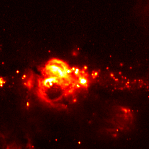
Output, reprojected onto the 2MASS frame (black corners are pixels outside the input image's footprint, where footprint is false):
render(result)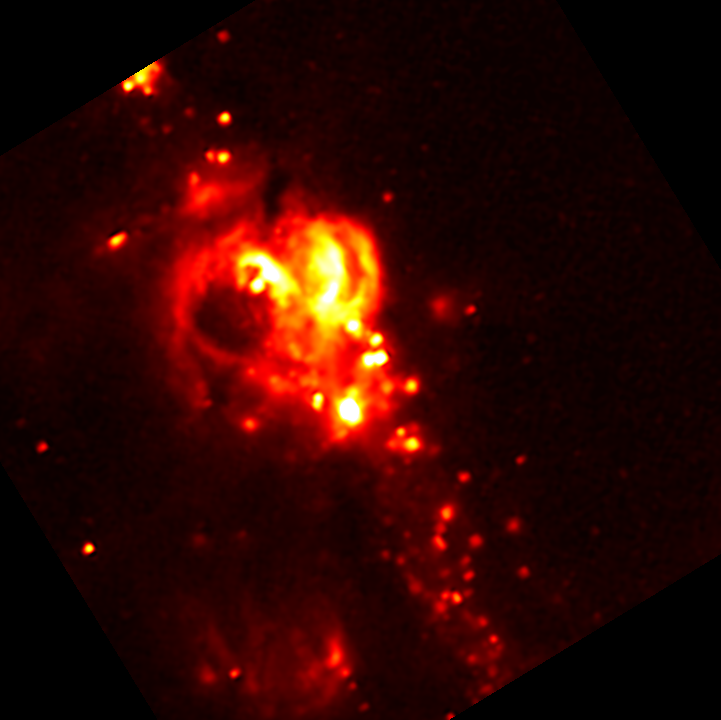
See AstroImages.jl for more on using this package with astronomical images (e.g., FITS, WCS, and plotting support).
License
The reproject package is released under the terms of the BSD 3-Clause "New" or "Revised" License. The Reproject.jl package received written permission to be released under the MIT "Expat" License.